

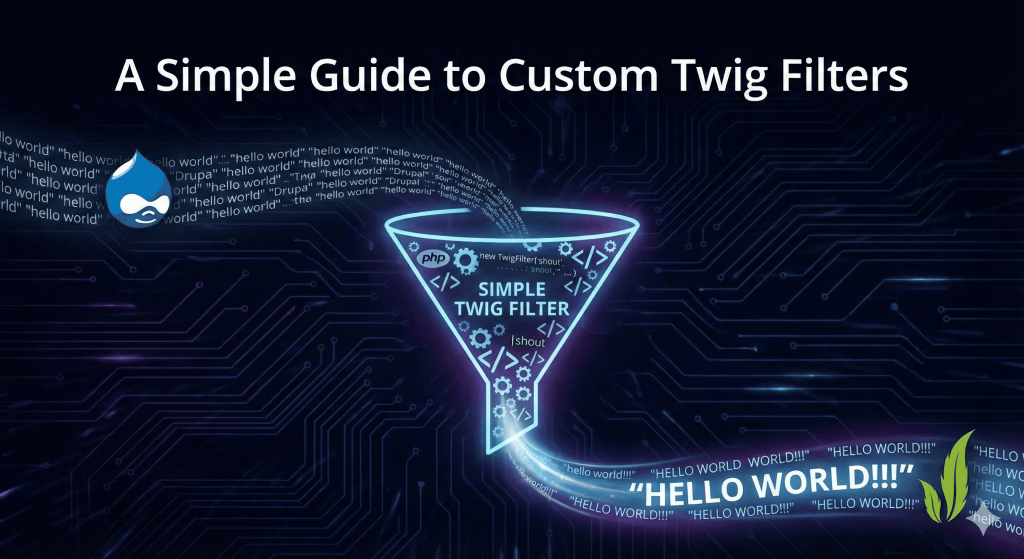
The more elegant, "Drupal-way" solution? The Custom Twig Filter. In this article, we’ll walk through creating a custom module that adds a practical shout filter to your Twig arsenal, allowing you to transform text instantly across your site.
The Goal
We want to create a filter that allows a site builder to take any text in a Twig template and "shout" it. Usage: {{ label|shout }}
Result: "HELLO WORLD!!!"
Step 1: Architect the Module
Every custom Drupal feature starts with a module. We will name ours twig_custom_tools. Create a folder in your project at /modules/custom/twig_custom_tools.
Inside that folder, create the following structure:
twig_custom_tools.info.ymltwig_custom_tools.services.ymlsrc/TwigExtension/CustomFilters.php
Step 2: Define Your Module
First, let’s tell Drupal that this module exists. Open twig_custom_tools.info.yml and add the basic metadata:
name: 'Twig Custom Tools'type: moduledescription: 'Extends Twig with helpful custom filters.'package: Customcore_version_requirement: ^9 || ^10 || ^11
Step 3: Register the Service
Drupal uses a Service Container to manage functionality. To make Twig aware of our new filter, we must register our class as a service and tag it as a twig.extension.
Open twig_custom_tools.services.yml:
services: twig_custom_tools.twig_extension: class: Drupal\twig_custom_tools\TwigExtension\CustomFilters tags: - { name: twig.extension }
Step 4: Write the Logic
Now for the fun part. We need to create the PHP class that defines what the filter actually does. We will inherit from AbstractExtension to tap into Twig’s core functionality.
File: src/TwigExtension/CustomFilters.php
<?php
namespace Drupal\twig_custom_tools\TwigExtension;
use Twig\Extension\AbstractExtension;use Twig\TwigFilter;
/*** Provides custom Twig filters for the site.*/class CustomFilters extends AbstractExtension {
/** * Register the filters. */ public function getFilters() { return [ // 'shout' is the filter name used in Twig new TwigFilter('shout', [$this, 'shoutText']), ]; }
/** * The logic: Convert to uppercase and add exclamation points. */ public function shoutText($string) { if (!is_string($string)) { return $string; } return strtoupper($string) . '!!!'; }
}
Step 5: Enable and Test
To see your work in action, follow these steps:
- Enable the module: Run
drush en twig_custom_tools -yor enable it via the/admin/modulesUI. - Clear Caches: Twig extensions are cached heavily. Run
drush cr. - Apply to a Template: Open any
.html.twigfile (likenode.html.twig) and use your new tool:
<h2 class="promoted-title"> {{ label|shout }}</h2>
Why This Matters
Creating custom Twig filters promotes separation of concerns. Your PHP handles the logic, your Service Container handles the dependency, and your Twig template stays clean and focused purely on presentation.
Best Practices to Remember:
- Input Validation: Always check if the input is the expected type (like a string) before processing it.
- Naming Conventions: Keep filter names short, descriptive, and lowercase.
- Escaping: If your filter returns HTML, ensure you handle security by using
Markup::create()or setting theis_safeoption in yourTwigFilterdefinition.
Pro Tip: You can also pass arguments to your filters! For example, {{ text|shout(5) }} could be set up to add 5 exclamation points instead of 3.